Every call your business gets starts the same way: a few seconds where the caller is listening and nobody is talking yet. Most businesses spend that moment on a flat “this call may be recorded for quality assurance.” That line matters, but it doesn’t have to be the only thing callers hear. The same ten seconds can tell people about this month’s offer, save your team a question, or send the caller in ready to buy.
This guide shows how to keep the recording notice and make the rest of your greeting work for you, with scripts you can copy.
First, the part you shouldn’t skip: the recording notice
If you record calls, several states (including California, Florida, Illinois, Pennsylvania and Washington) require that everyone on the call knows. A short notice at the start of the call is the simplest way to cover that, and it’s why the greeting exists in the first place. Our guide to call recording laws and consent explains the details. This article isn’t legal advice, so check the rules where you and your callers are.
The good news: the notice only needs one short sentence. “This call may be recorded” is enough in most greetings. Everything else is yours to use.
The formula: thanks, notice, one useful line
Great greetings follow the same shape and stay under about 15 seconds (roughly 35 words):
- Thanks and your name. Callers want to know they dialed the right place.
- The recording notice. One sentence.
- One useful line. An offer, an announcement, or something that makes the call go faster. Just one: callers stop listening after that.
Here’s the formula in action:
“Thanks for calling Harbor Plumbing. This call may be recorded. Ask about our $49 drain cleaning special this month.”
Five kinds of “useful line” (with scripts)
1. A promotion
The caller is already interested, so a promotion lands at exactly the right moment. Keep it simple and easy to say out loud.
“Thanks for calling Clearview Windows and Doors. This call may be recorded. Through October, get free installation on any order of five windows or more.”
2. An announcement
New location, new service, new hours: the greeting reaches every caller, including the ones who never see your emails or social posts.
“Thanks for calling Bright Smile Dental. This call may be recorded. We’re now open Saturdays from 9 to 1.”
3. What to have ready
Shave a minute off every call by telling people what you’ll ask for. Your team spends less time waiting, and callers feel looked after.
“Thanks for calling Northside Pet Insurance. This call may be recorded. If you’re calling about a claim, please have your policy number handy.”
4. What happens next
Setting expectations builds trust before anyone says hello, especially for businesses that call back or send quotes.
“Thanks for calling Summit Roofing. This call may be recorded. Most free estimates are scheduled within 48 hours.”
5. A reason to choose you
One line of proof (years in business, a guarantee, a rating) quietly answers “why you?” before the caller asks.
“Thanks for calling Oak and Sons Plumbing, family owned since 1998. This call may be recorded. Every repair comes with a one-year guarantee.”
Use a different message on each number
If you use call tracking, each ad, listing or mailer has its own phone number. That means each one can have its own greeting:
- Your mailer number can repeat the mailer’s offer, so callers know they’re in the right place.
- Your Google Ads number can match the ad’s headline.
- Your main website number can carry the general greeting.
Because every number is tracked, you can see which message goes with more calls and more answered calls, then keep the winner.
Tips that make greetings work
- Keep it under 15 seconds. Long greetings make callers hang up. Read it out loud and time it.
- Don’t ask callers to do anything. “Press 1” belongs in a phone menu, not a greeting.
- Skip web addresses and long numbers. Nobody remembers them from a recording.
- Put an end date on offers. “This month” or “through October” creates urgency and reminds you to change it.
- Change it every month or season. A fresh line keeps repeat callers listening. Put a reminder on your calendar.
- Listen before you save. Hear it in the exact voice callers will hear, and fix anything that sounds awkward.
Setting it up in CallTrackingServices
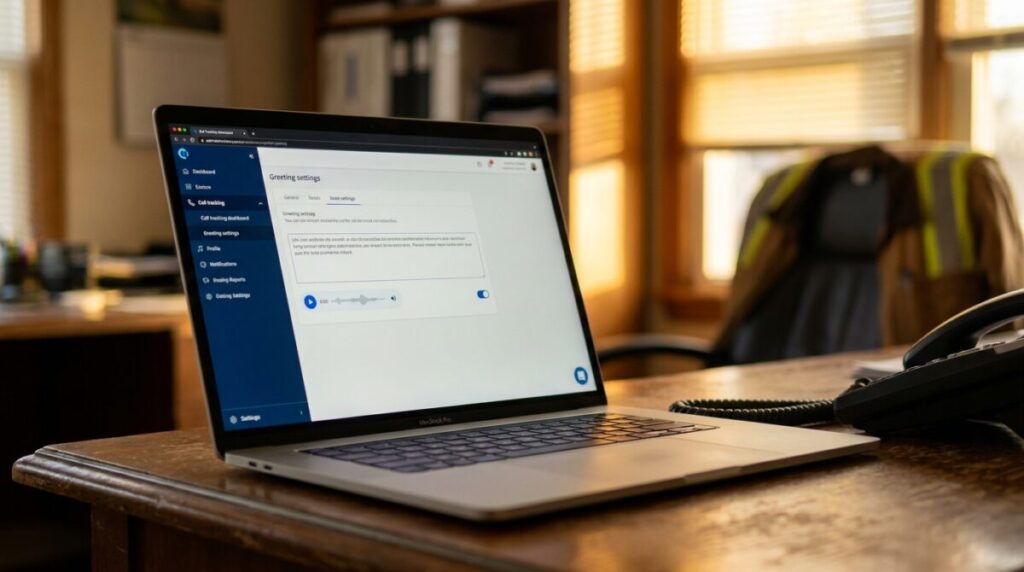
In your account, go to the Numbers tab and find What callers hear. Type your greeting, pick a voice, and click Preview to hear exactly what callers will hear. You can also record it in your own voice or upload a recording. To give one number its own message, click the pencil on that number and open Messages.
Ten seconds, on every call, reaching every caller. It’s the most-heard piece of marketing you own. Make it count.